Documentation
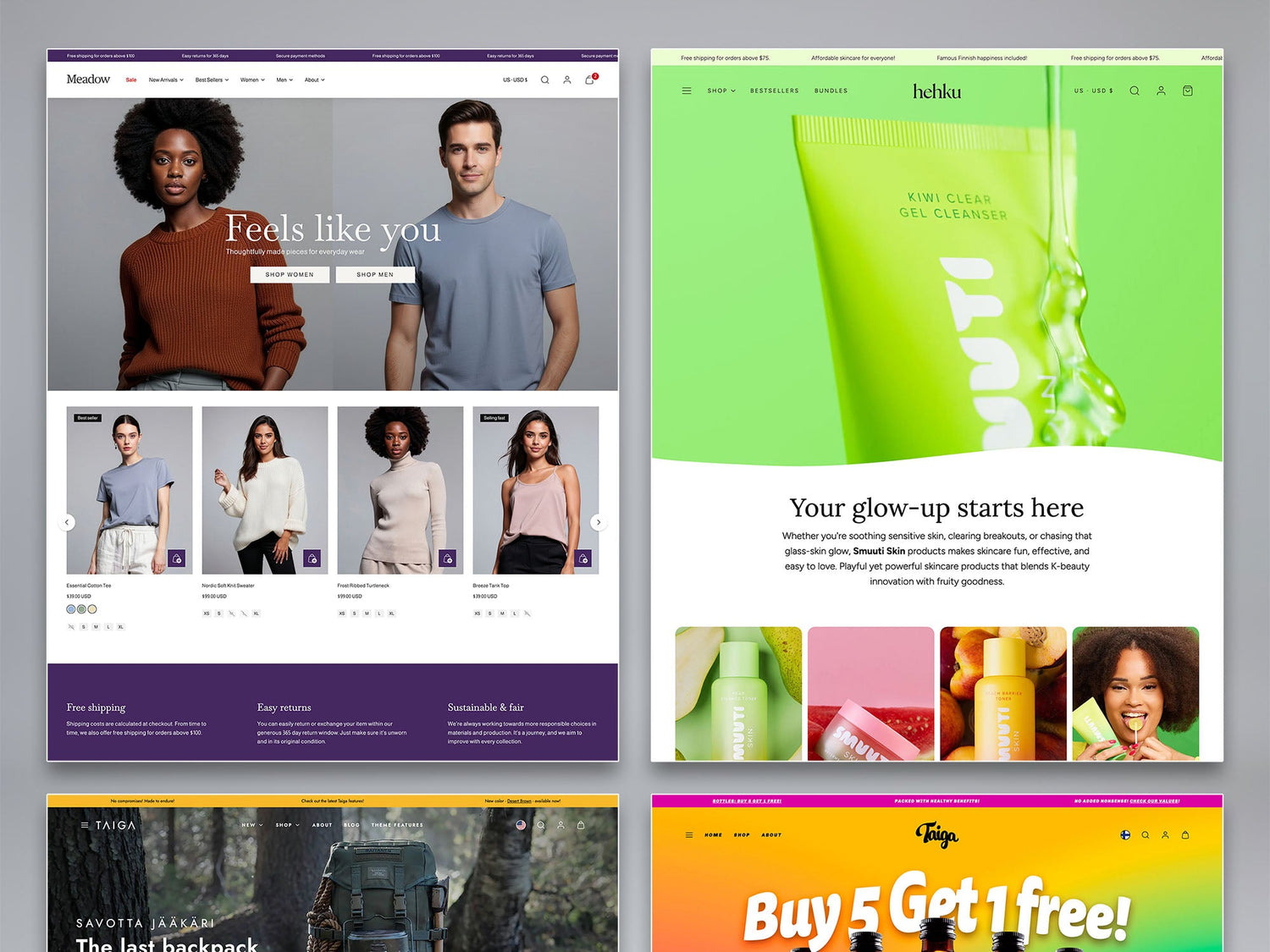
Choose your theme. The Taiga theme documentation includes preset Taiga, Meadow, Bubbly, and Hehku. The Sampo theme documentation includes preset Sampo, Mighty, and Resonance.
Try the Woolman Themes AI.
For quick answers you can also try the Woolman Themes AI. Start the AI conversation from the AI button found at the bottom right corner of each page. Note that the AI is still in beta and learning new things.
FAQ
Here are most frequently asked questions that apply to both of our themes. You will find more FAQs inside the documentation guides.
General questions
How can I update the theme?
Before updating, create a backup copy of your current theme by duplicating it in Shopify Admin → Online Store → Themes. When a new theme version is available, add it to your theme library, review and test the updated version carefully, and publish it once everything is working correctly.
Please note that custom code changes do not transfer automatically to updated theme versions and may need to be reapplied manually.
For more information, see How to update Taiga -documentation article.
What media sizes should I use?
Woolman Themes are designed to support various image and video sizes. By following these basic guidelines for the images and videos in your online store, you will make managing your store media easier.
Recommendations for images:
- Use constant aspect ratio for the product featured images
- Consider using transparent backgrounds for product images
Recommendations for videos:
- Keep autoplay videos short
- Use low bitrate for autoplay videos
Can I customize my theme?
Woolman themes are fully customizable, but custom code changes are made at your own responsibility. We recommend using Theme Settings, Custom Liquid sections, and built-in customization options whenever possible, as direct code edits can complicate future theme updates and fall outside our support scope.
Read more: Theme Customizations
I can't find my theme in the list?
Since July 15th 2025 Shopify started showing each individual preset in the Shopify Theme Store. So the theme name can be a bit tricky to find. The theme codebase is the same for all presets inside the theme thus the documentation is stated on a theme level.
Taiga presets are:
- Taiga
- Meadow
- Bubbly
- Hehku
Sampo Presets are:
- Sampo
- Mighty
- Resonance
Videos And Images
What is the recommended way to add videos?
We recommend using Shopify-hosted videos whenever possible for better performance and compatibility. External YouTube and Vimeo videos are also supported. Read more in Videos and images in sections.
Can I use different images or videos for mobile and desktop?
Yes. Many sections support separate media for mobile and desktop devices, helping you optimize layouts and aspect ratios for different screen sizes. Read more in this article.
How can I optimize images and videos for better store performance?
Use properly sized images, short videos, and lower video bitrates whenever possible. Matching media aspect ratios to the displayed layout also helps improve loading speed.
Online store style
Do you support custom fonts?
Yes. Woolman Themes can be easily modified to use custom fonts, both cloud based fonts – like Google and Adobe Fonts – and font files that are uploaded to your Shopify store.
Read more Adding Custom Fonts
Can I add promotional content inside the mega menu?
Add you answer here. Try to be specific and concise. You can also add a media to the question. Images and videos usually help to explain the answer.